
7 phone features you’ve been using wrong for years
 SKAiF NewsNG SNN
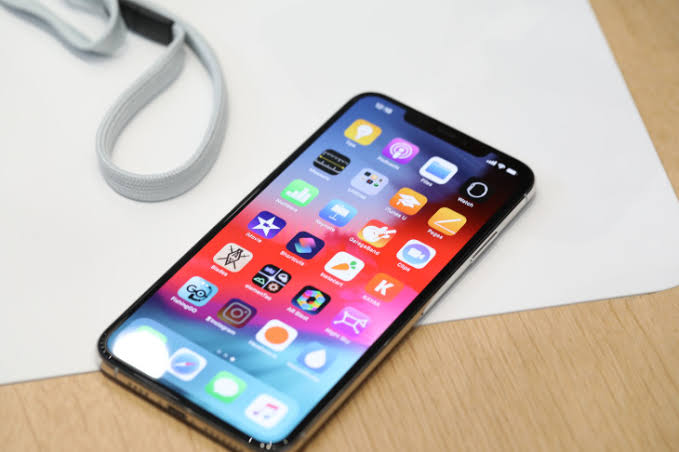
Smartphones are packed with powerful tools, but most users only scratch the surface of what their devices can do. Beyond calls, messaging and social media, modern phones include features designed to save time, protect privacy and improve productivity.
Yet many people either ignore these tools or use them the wrong way.
Here are 10 phone features you’ve probably been using wrong for years.
Airplane mode isn’t only for flights
Most people switch on airplane mode only when they are about to take off on a flight. However, the feature can be useful in everyday situations. When enabled, airplane mode temporarily disables mobile networks, Wi-Fi and Bluetooth connections, which can help reset connectivity problems.
If your phone suddenly loses signal or data becomes slow, turning airplane mode on for a few seconds and switching it off again can refresh the network connection. It can also help your phone charge faster because it stops the device from constantly searching for signals.
Night mode can protect your eyes
Many users scroll through their phones late at night without activating night mode or a blue-light filter. This feature adjusts the screen’s colour temperature, reducing the amount of blue light emitted from the display.
Blue light exposure at night can strain the eyes and disrupt sleep patterns. Activating night mode, especially in the evening, makes the screen warmer and more comfortable to look at, particularly when reading messages or browsing in the dark.
Screen pinning helps protect your privacy
Handing someone your phone to check a photo or read a message can sometimes lead to them accidentally opening other apps. Screen pinning or guided access prevents this by locking the phone to a single application.
Once enabled, the user cannot switch to another app without entering the device password or unlocking method. This feature is especially useful when showing pictures, lending someone your phone briefly or allowing a child to use a specific app.
One-handed mode makes large phones easier to use
Smartphone screens have become significantly larger over the years. While this improves viewing experience, it also makes it harder to reach the top of the screen with one hand.
One-handed mode solves this problem by temporarily shrinking or lowering the screen so important controls become easier to reach. Many users struggle with large screens daily without realizing their phone already has a feature designed to fix that problem.
Built-in document scanners can replace separate apps
A lot of people download third-party apps just to scan documents, unaware that their phone already includes this feature. Many smartphones allow users to scan documents directly from the camera or notes app.
These built-in scanners automatically crop the image, adjust lighting and convert the file into a PDF. This makes it easy to scan receipts, forms or handwritten notes without needing a separate scanning device.
Focus mode can reduce distractions
Constant notifications can be distracting, especially during work or study. Focus mode or advanced “Do Not Disturb” settings allow users to silence unnecessary alerts while allowing important ones to come through.
Users can customise which apps or contacts are allowed to send notifications during certain hours. For example, you can block social media alerts while working but still receive calls from family members.
Speech-to-text can replace typing
Typing long messages, notes or emails on a small keyboard can be tiring. Speech-to-text technology allows users to dictate their words while the phone converts them into written text in real time.
This feature is particularly useful during meetings, lectures or when you need to take quick notes. Many users overlook it, even though it can significantly speed up writing tasks and improve productivity.
The post 7 phone features you’ve been using wrong for years appeared first on Vanguard News.